Dartmouth LibX Browser Extension for Firefox & Chrome
To install the Firefox version click here then restart Firefox (Does not currently work for Firefox 57+).
To install the Chrome version click here . (Please login to your version of Chrome before installing the extension; the extension is also available from the Chrome Store - if blank after installing then search for Dartmouth to install our version)
IE is no longer supported.
(Having trouble installing? | Known bugs)
What is LibX
LibX is a browser extension (or add-on) that provides quick searching of the Dartmouth College Library Catalog, Borrow Direct, the eBook and eJournal Finders, the Howe Library Catalog, Worldcat, Summon, Hathi Trust, Google Books, Amazon Books and Google Scholar.
LibX Search Magic! - Tips (2:38)

To retrieve full-text of licensed resources requires your computer to have a Dartmouth IP address. Read how to access the Dartmouth College Library from Off-Campus for more information.
LibX Features
Direct access to the Dartmouth College Library Catalog and other key search tools
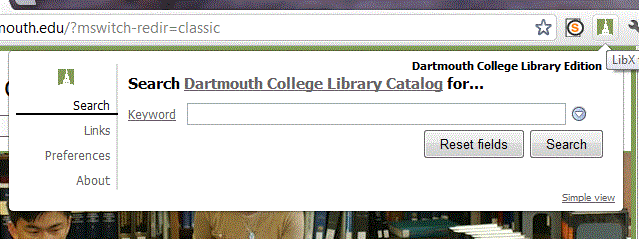
**Use multiple search boxes by clicking on the down arrow  .
.
Clicking on the resource name will show a menu for choosing other resources
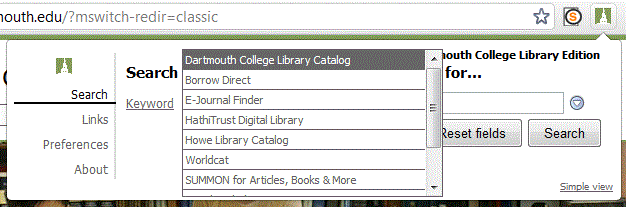
Clicking on the field name will show a menu for choosing other fields to limit a search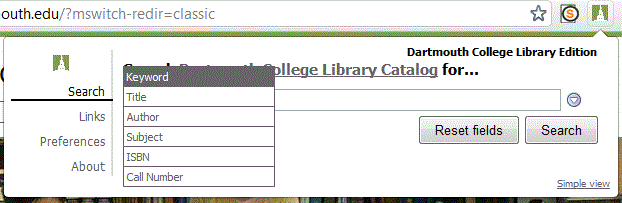
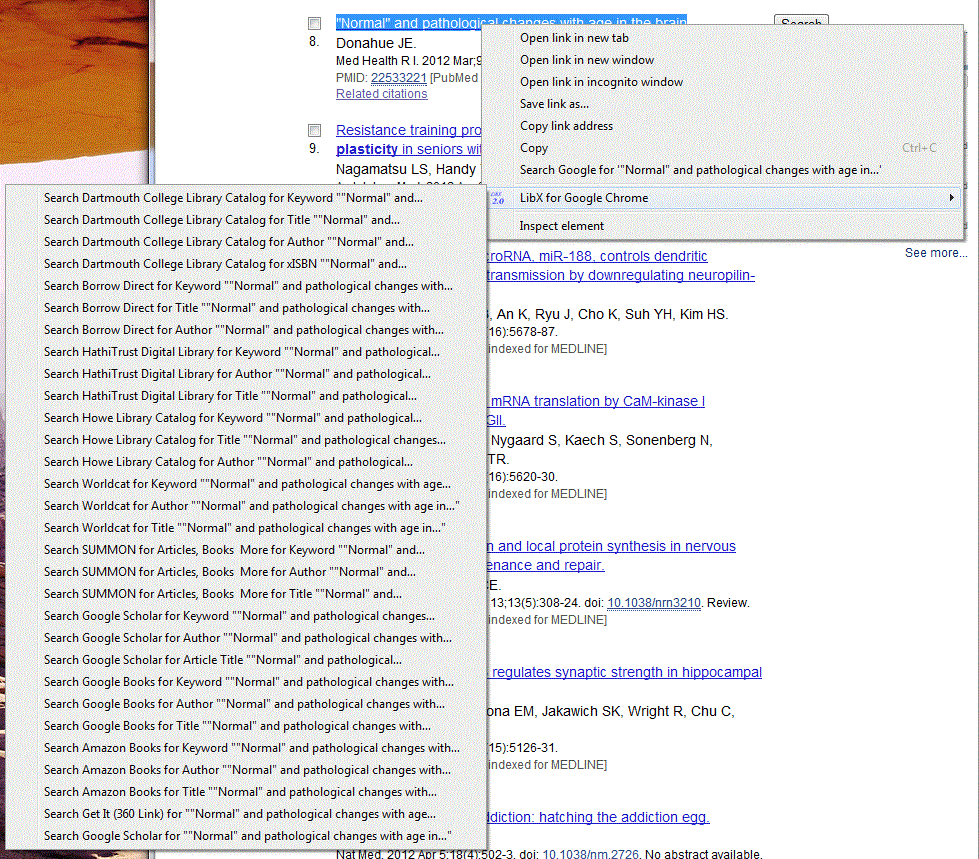
Right-click context menu: Highlight text on a Web site and right-click (or ctrl-click with a one button mouse) to search the selected text in, for example, the Dartmouth College Library Catalog or Google Scholar. The right-click menu changes automatically depending on what is selected. If an ISBN is selected, the right-click menu will offer the option to search directly using that standard number.
Standard numbers like ISBN's, ISSN's, Crossref DOI's and PubMed ID's are automatically hyperlinked to Dartmouth licensed resources.
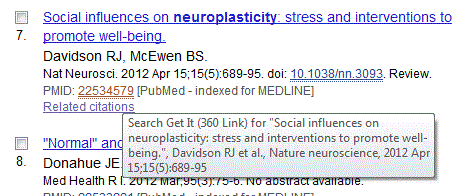
The right-click context menu is configurable.
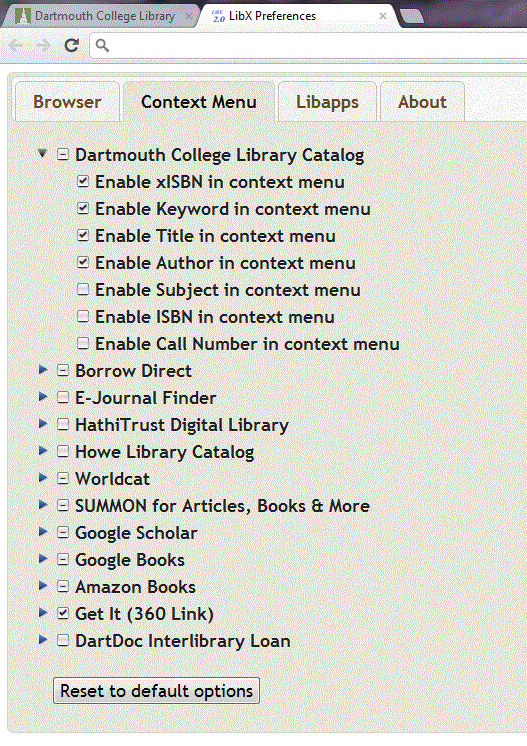
Most of the features in LibX are configurable!
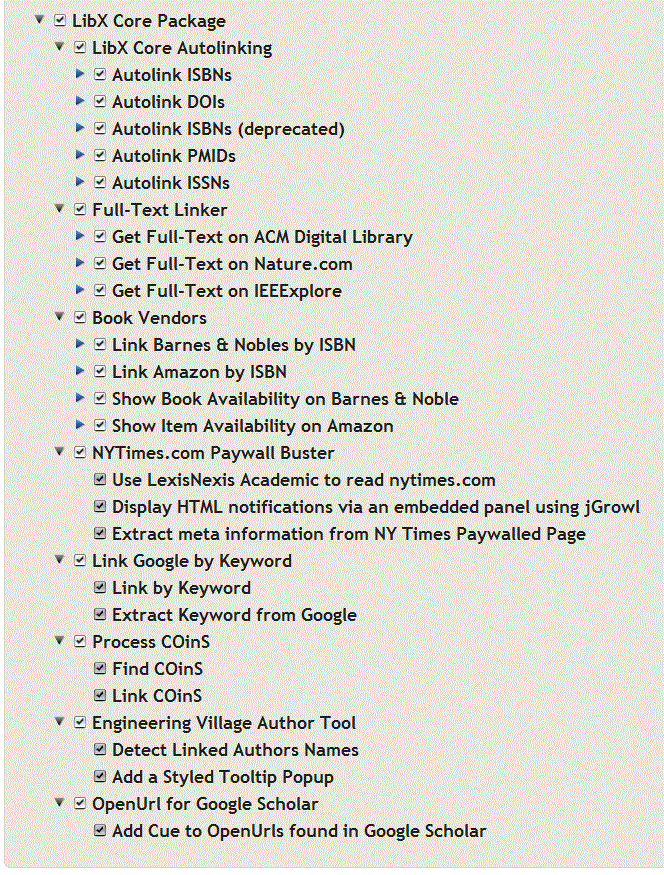
Embedded Cues: LibX places cues in web pages for resources referenced on that page. Click on the cue to look at what the library has. For instance, book pages at Amazon contain cues that can check whether the library has the book.
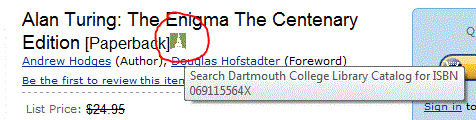
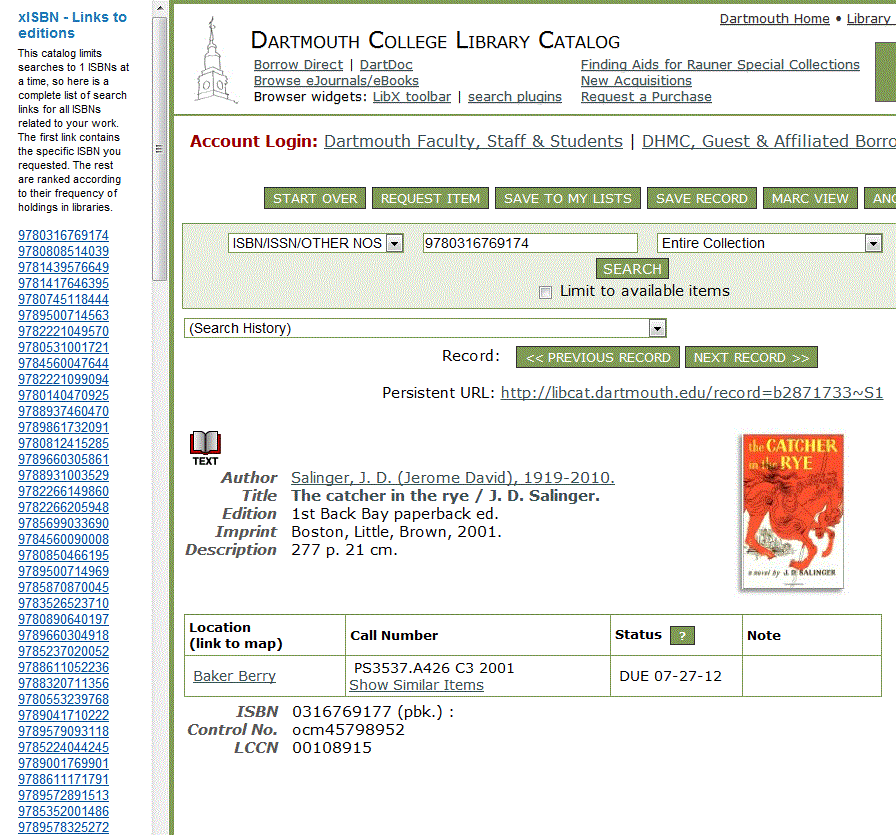
Find other editions of books: A book title can have different ISBNs for the paperback, the hardcover, even for different editions. LibX supports OCLC's xISBN service; Clicking on an ISBN will search the Dartmouth College Library Catalog for the item and will also provide other related ISBNs that the library may have.
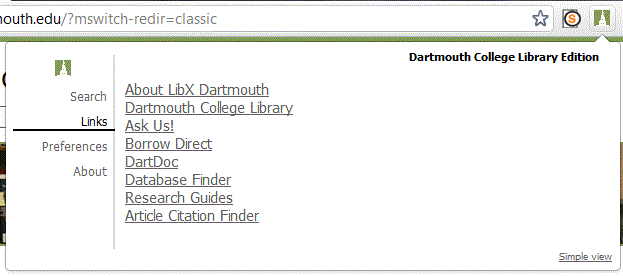
Quick links to important services
Copyright
LibX is distributed under the Mozilla Public License. The copyright is held jointly by Annette Bailey and Virginia Tech.
For more information about LibX, visit the LibX Homepage.
Install Help
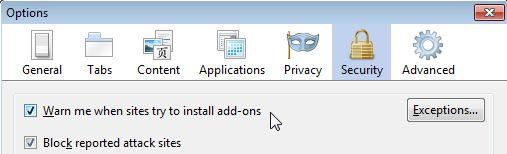
If you get the "Firefox is preventing downloads" message add the LibX install URL to the list of allowed sites:
Firefox menu -> Tools -> Options -> Security -> Warn me when sites try to install add-ons -> Exceptions
See also: Firefox help and Unable to install themes or extensions from mozillaZine
Apple MAC users make sure that "library.dartmouth.edu" has been added as an authorized site to install software, and you may need to uncheck the "warn me when web sites try to install extensions or themes" box.
Bugs
- The Dartmouth College Library Catalog is the only resource which can use multiple search boxes added by clicking on the down arrow . The others will search the terms in the first search box but ignore the terms in added search boxes.